Write on either side
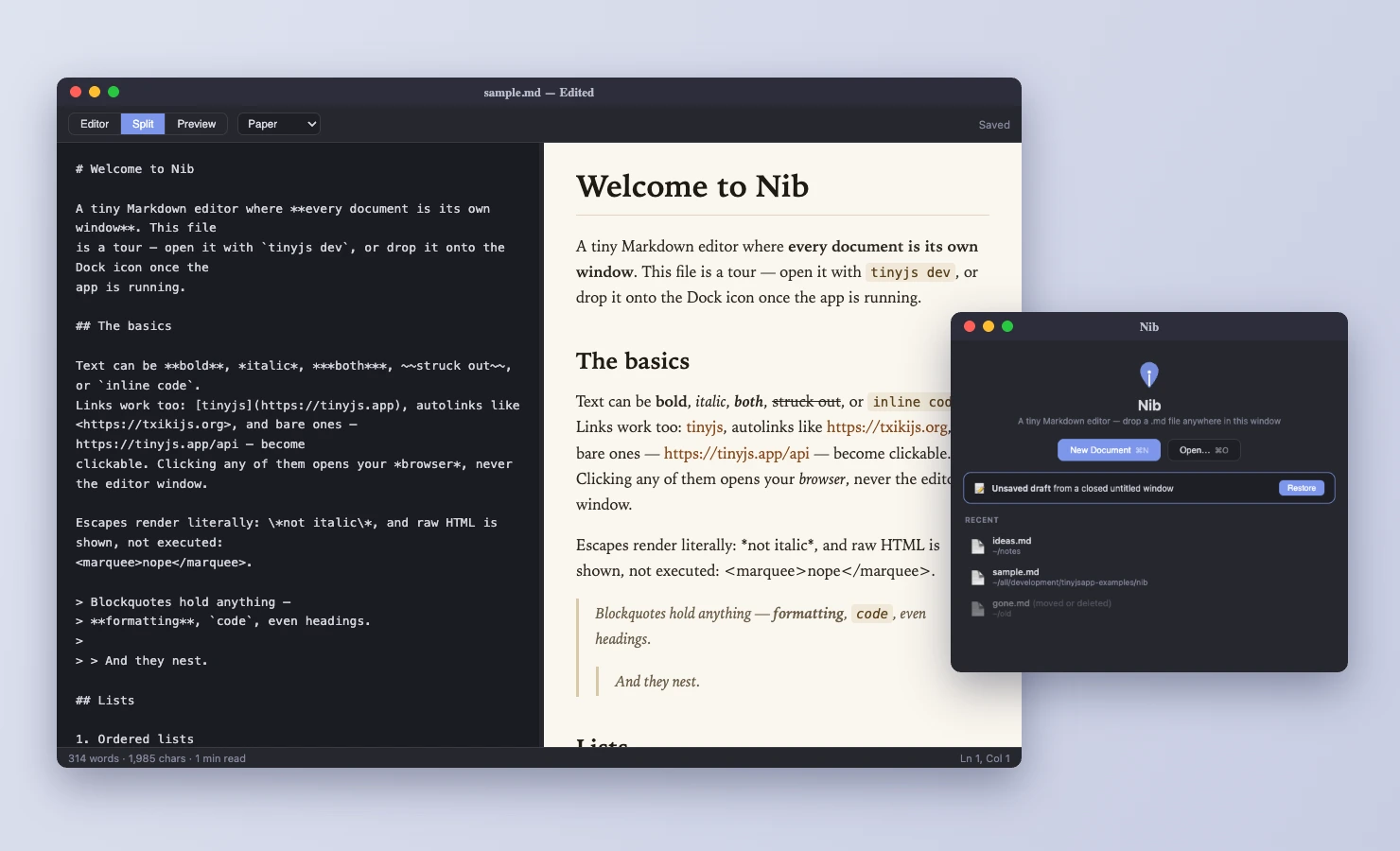
The source pane is syntax coloured with highlighted code blocks. The
preview is editable, and Nib writes Markdown back as you type in it.
The two panes mirror each other's cursor and selection down to the
character, so you never lose your place when you switch.
Type / on an empty line in the preview for a menu of
everything you can insert: headings, lists, a starter table, callouts,
code, diagrams.
More than CommonMark
Each extra has its own toggle, with GitHub and CommonMark presets.
Math compiles to native MathML, so exported HTML carries real markup
and no script. Mermaid diagrams take their colours from the preview
theme.
- GitHub alerts
- $math$
- mermaid
- footnotes
- :emoji:
- ::: note
- ::: tabs
- ::: carousel
- ::: toc
- ::: embed
Folders are projects
Open a folder and you get a file tree next to your document. Nib
watches the folder, so an image you drop in from Finder shows up by
itself. Rename a file and Nib offers to fix every link that pointed at
the old name.
Find it with ⌘P
⌘P opens Open Quickly over every file in the project. It
matches against the whole path, and a space starts a new term, so
deep note finds docs/deep/nested-note.md. So
does dn. Headings are indexed too: type part of a section
name and Nib opens the file at that heading. Type > and the
same box runs any menu command instead.
Link it with @
Type @ in either pane and the same picker opens at the
cursor. Pick a note and Nib writes the link using the note's title as
the link text. Pick a picture and it goes in as an image. Press
⇥ on a file to link one of its headings, like
[Second steps](notes/a.md#second-steps).
If the link goes outside the folder, select some text and paste a URL
over it. The text becomes the link.
Pin what you search
Right-click a folder in the tree to pin it. From then on ⌘P,
the @ picker and Find in Folder only search inside it. Click
the 📌 to cycle through everything, Markdown only and pictures only, so
notes/ can answer for documents while assets/
answers for images.
With several pins, the one closest above the document you're in
wins. Two projects inside one big folder each search only themselves.
Links can also be written from the pin, so a doc site with a pinned
en/ writes /sms/index.md instead of
../../sms/index.md. Pins are saved in
.nib/settings.json and go wherever the folder goes, and a
single 📌 switch turns them all off without losing them.
Actions run your own tools
Hang your own commands, scripts and AI prompts off the ⚡ button and
run them on the folder you're in. Give them keyboard shortcuts, make
them per-platform, let a script ask you a question halfway through.
Actions in .nib/actions.json travel with the folder, so a
repo can bring its own.
Gets out the way
Double-click a .md in Finder, drop a folder on the Dock
icon, or run nib notes.md from a terminal. Paste an image
and Nib asks where it should live. Export to themed PDF or HTML. Close
a window with unsaved changes and the draft is kept for next time.