
Templates and trading names
Invoice templates
Templates on the Invoices page designs how your invoices, quotes, credit notes and statements look. The preview updates as you go.
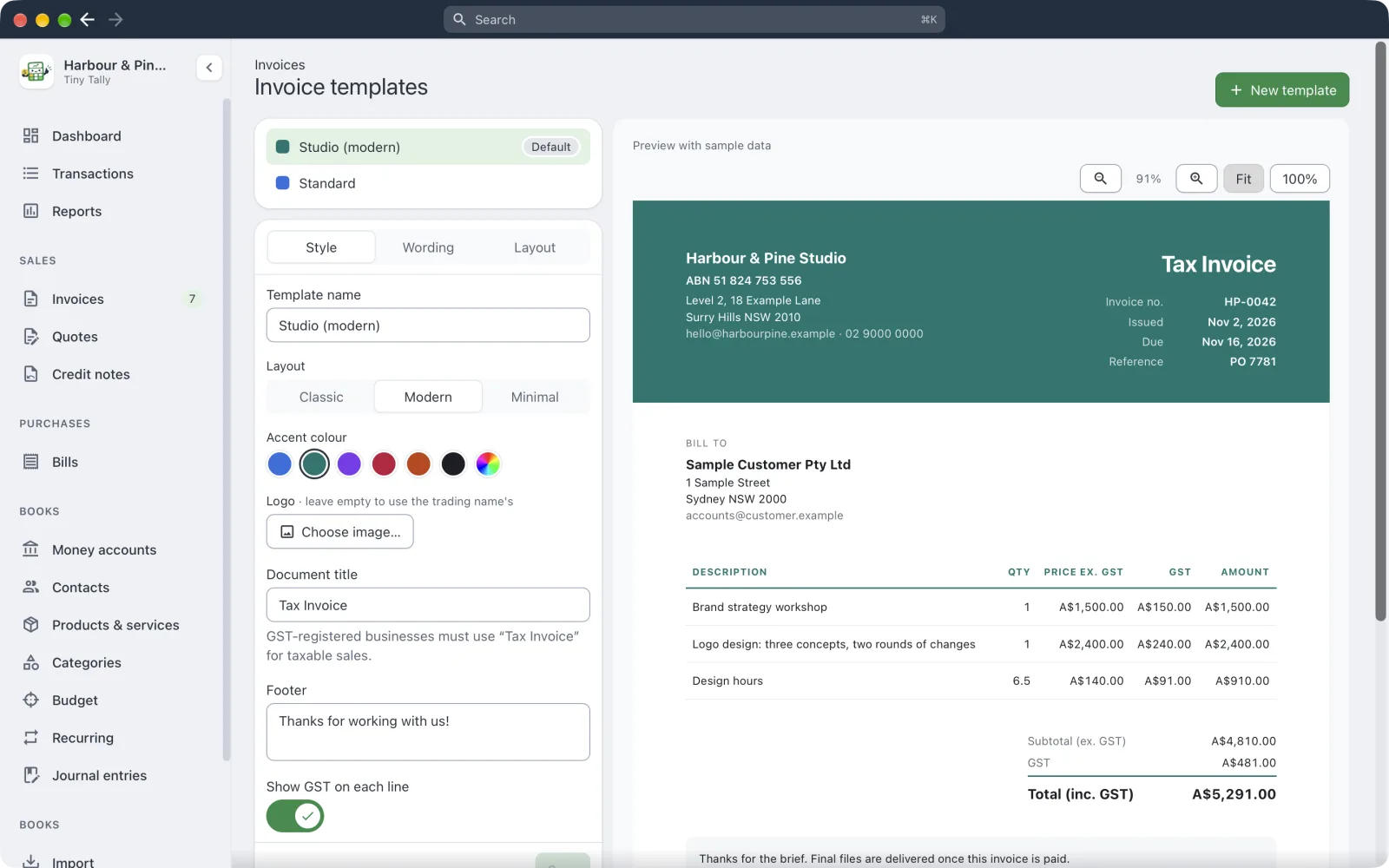 Designing an invoice template
Choose Classic, Modern or Minimal, an Accent colour and a Logo. You can also change the Document title (Tax Invoice, say), add a Footer, and choose whether to Show GST on each line.
Have as many templates as you like. Make default sets the one new documents use; each invoice can pick another.
Trading names
If you invoice under more than one name, add each one in Settings → Trading names: its name, address, email, phone, payment details, logo and template. Tick Number its documents separately if it needs its own invoice numbers.
When you make an invoice, From picks the trading name. A contact can be set to always be invoiced as one of them.
Numbering
Settings → Invoices sets the prefix and next number for invoices, quotes, credit notes and bills.