
Your books file
Each set of books is one .tally file. Everything is in it: transactions, invoices, contacts, settings, attachments and the history of every change. Tiny Tally saves as you go; there's no Save button for the books.
Moving and sharing
Keep the file wherever you like and open it on another computer with Open Books… (⌘O), by double-clicking it, or by dropping it on the window. Open Recent in the File menu lists the books you've used. Settings → Open the last books when Tiny Tally starts skips the welcome screen.
While the books are open, Tiny Tally leaves a small .lock file beside them. If you open the same file on a second computer (say from a shared Dropbox folder), you'll see Books in use. Choose Cancel unless you're sure the other computer has finished with it; Open anyway risks two computers changing the file at once. A lock older than 12 hours is ignored.
Backups
Back Up Now in the File menu (or in Settings) copies the books into a Backups folder next to the file, named with the date and time. Tiny Tally doesn't back up on its own, so do this before big changes, and keep the file somewhere your usual backups reach.
Show in Finder (Show in File Explorer on Windows) takes you to the file.
History
Every change is recorded with the time and the computer it was made on. Activity in the sidebar lists them by day; open one to see each field before and after. Transactions, invoices and journal entries also have a History button for just that record.
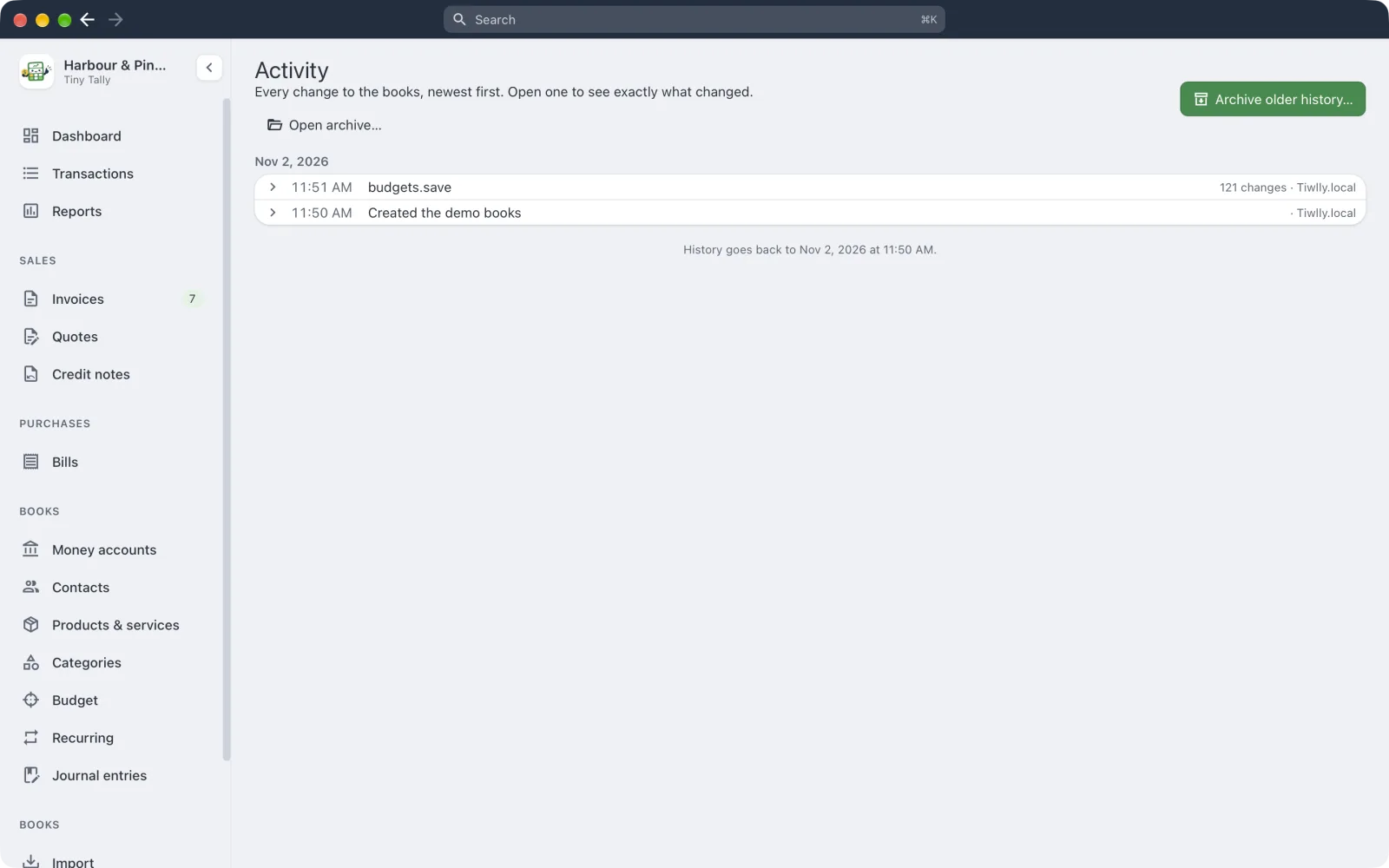 The activity log
History is a record, not an undo: to put something back, change it again.
Years of history make the file bigger. Archive older history… moves everything before a date you choose into a .tallylog file beside the books, and Open archive… reads it later.
Locking past periods
Settings → Lock date stops anything on or before a date from being changed. Marking a tax return as lodged moves the lock forward to the end of that period, so the figures you reported can't shift underneath you.